Myna
An AI chat app for the web that lets you switch models without leaving the conversation.
Problem
Different AI models are good at different things, but each one lives in its own app. Asking a second model means copying your question into another tab.
Outcome
A 7-screen web concept with its own name and logo: one chat where you can switch models, retry an answer with another model and search your history.
- Role
- Solo designer
- Platform
- Web
- Type
- Personal concept
- Tools
- Figma, Claude
- Scope
- 7 screens, a logo and a clickable prototype
One chat, many models.
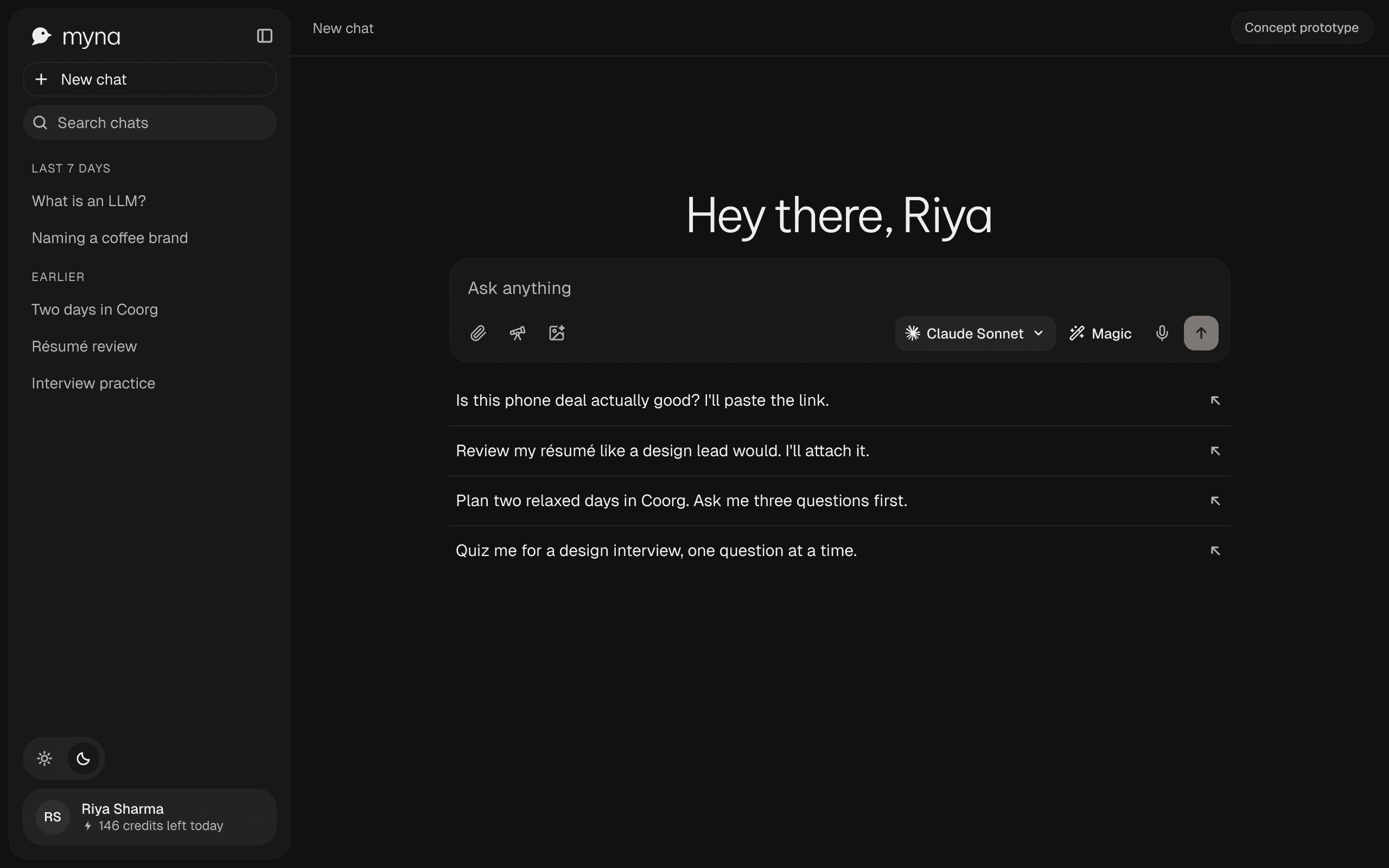
AI models have different strengths. One is quick, another is more careful, and it is hard to tell which will give the better answer until you ask. But each one lives in its own app, so a second opinion means pasting your question somewhere else and losing the thread.
Myna keeps the conversation in one place and lets the model change around it. I wanted it to stay calm while doing that: soft greys, one warm accent and plenty of room. Merlin and Scira were my inspiration.
One composer, everything in reach.
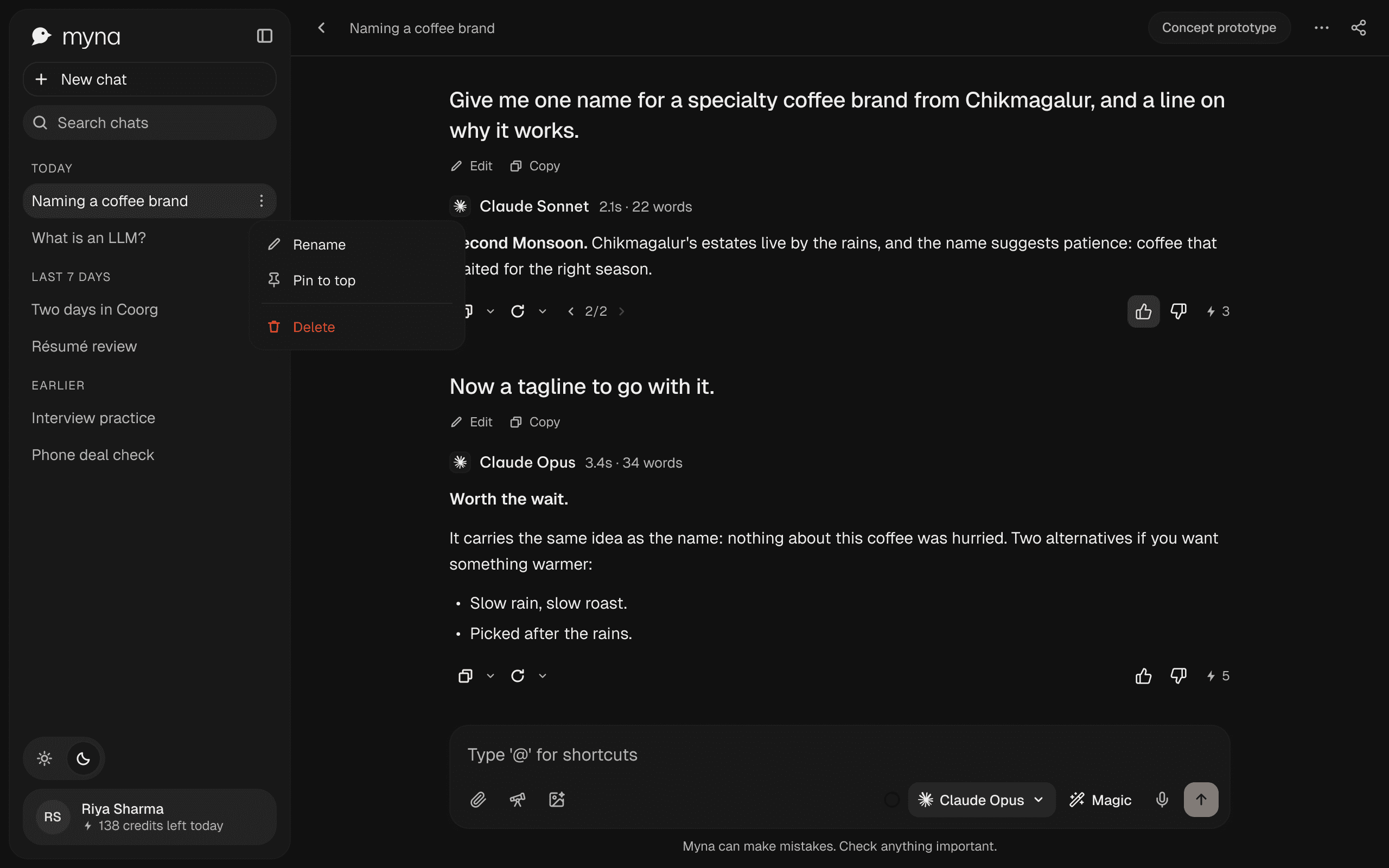
The composer has eight jobs: attach a file, run deep research, create an image, switch model, improve the prompt, dictate, send, and show how much of the chat’s memory is used. The risk is a crowded row of buttons, so I gave each one a clear resting state.
Tools stay quiet until used
Each tool is a plain icon. When one is on it turns peach and shows its name, so you can see the mode you are in before you send.
The model is always visible
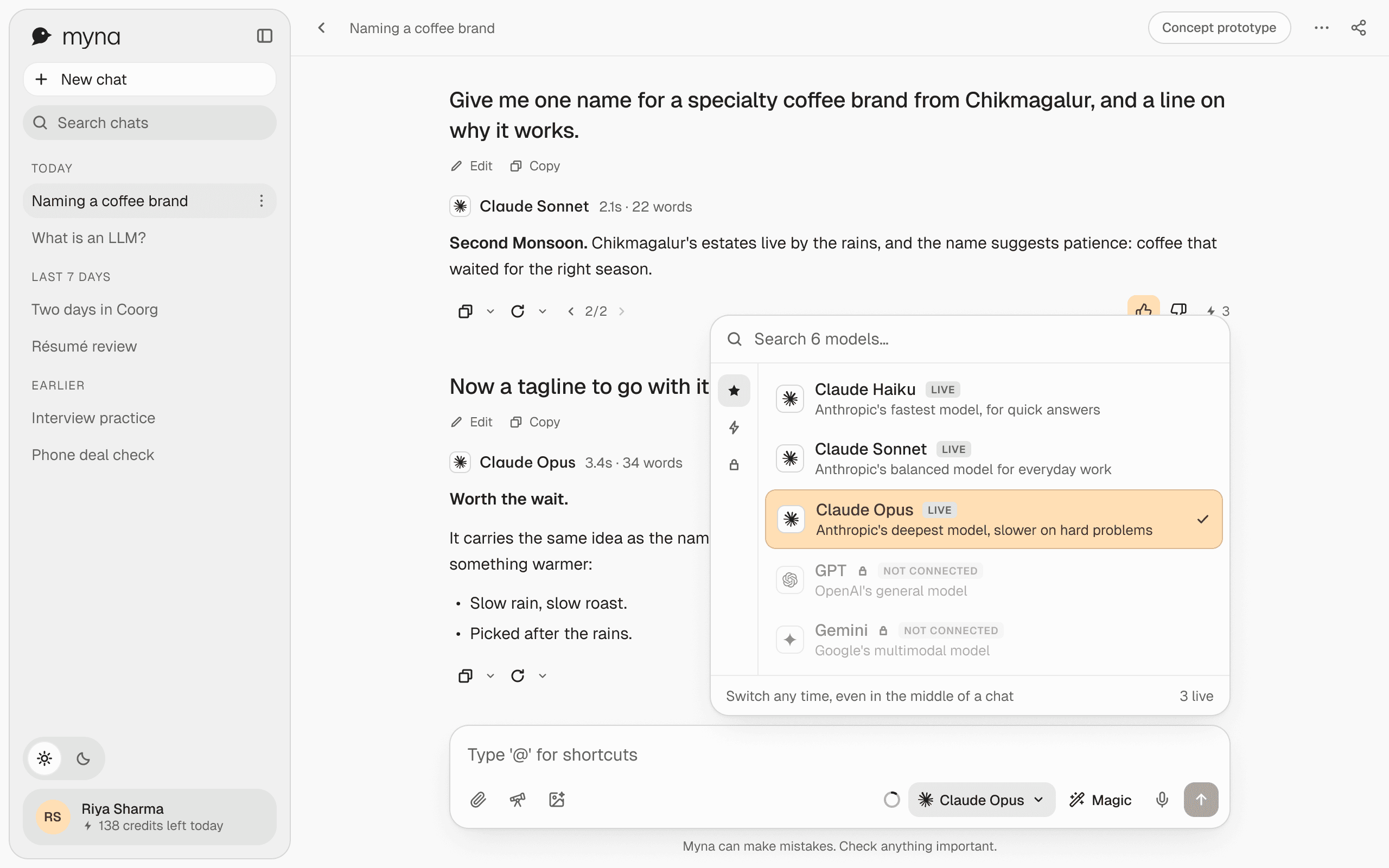
The current model sits beside the send button with its logo. It opens a searchable list, and you can change it in the middle of a chat.
Shortcuts with @
Typing @ opens the same models and tools from the keyboard, without reaching for the mouse.
Magic
One button rewrites a rough draft into a clearer prompt, and an undo brings the original back.
Switching models without losing the thread.
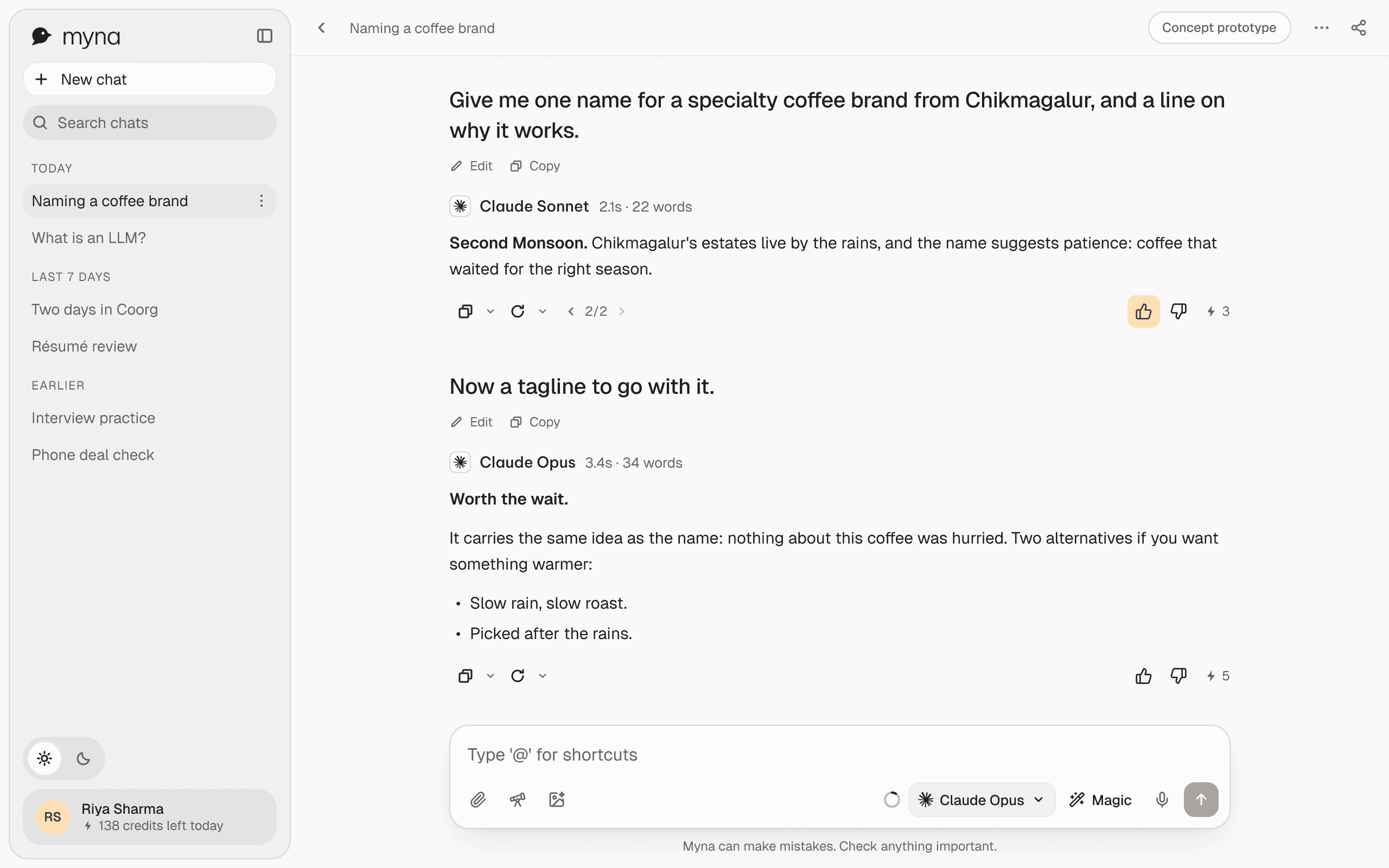
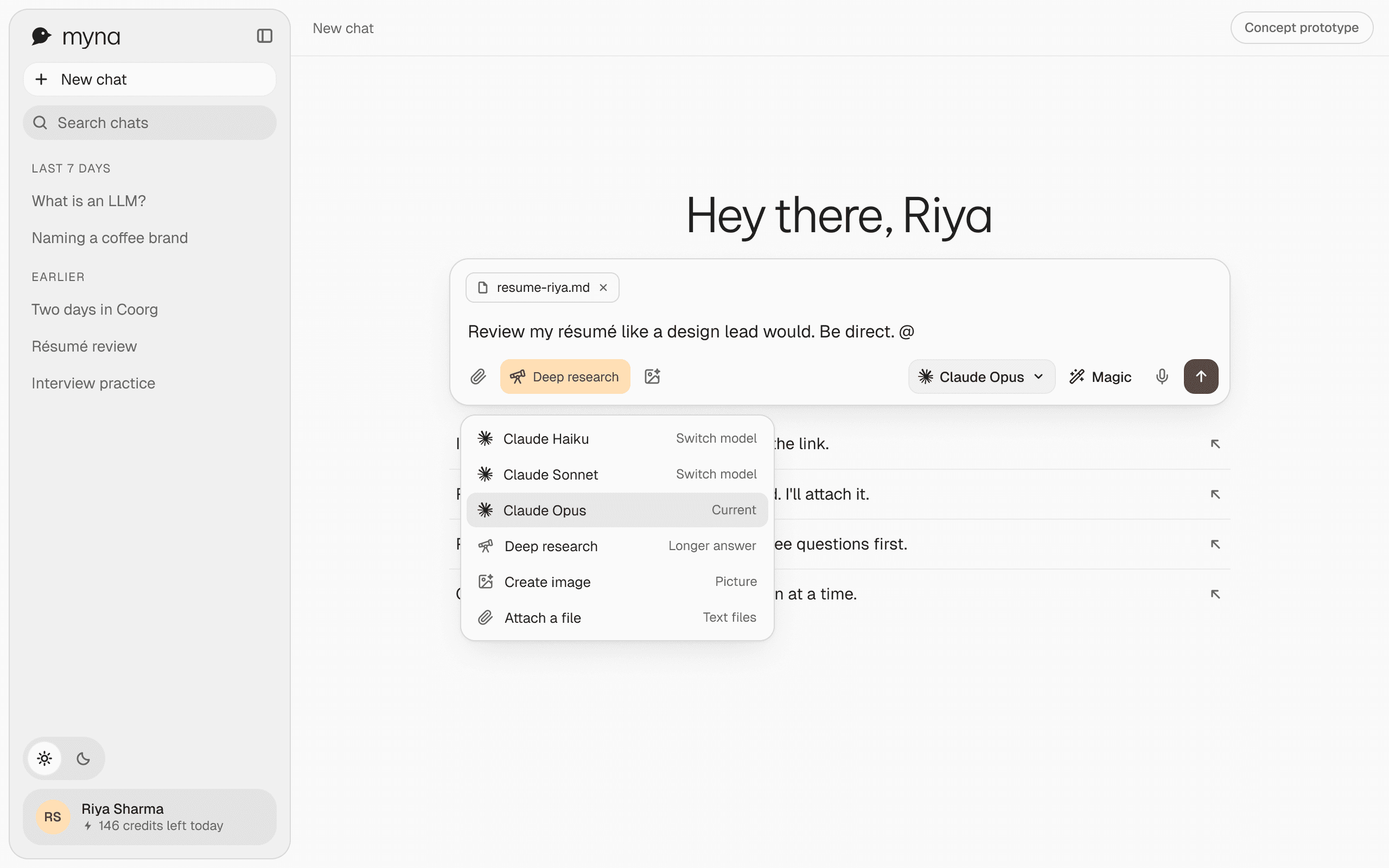
The main idea is that a conversation should not belong to one model. Every answer is labelled with the model that wrote it, so a chat can start with one and continue with another.
If an answer is not right, the retry menu can put the same question to a different model. Both versions stay in the chat, and small arrows page between them.
Each answer also shows what it cost in credits. Larger models cost more, and I wanted that to be visible at the moment you are deciding whether to ask again.
History that stays out of the way.
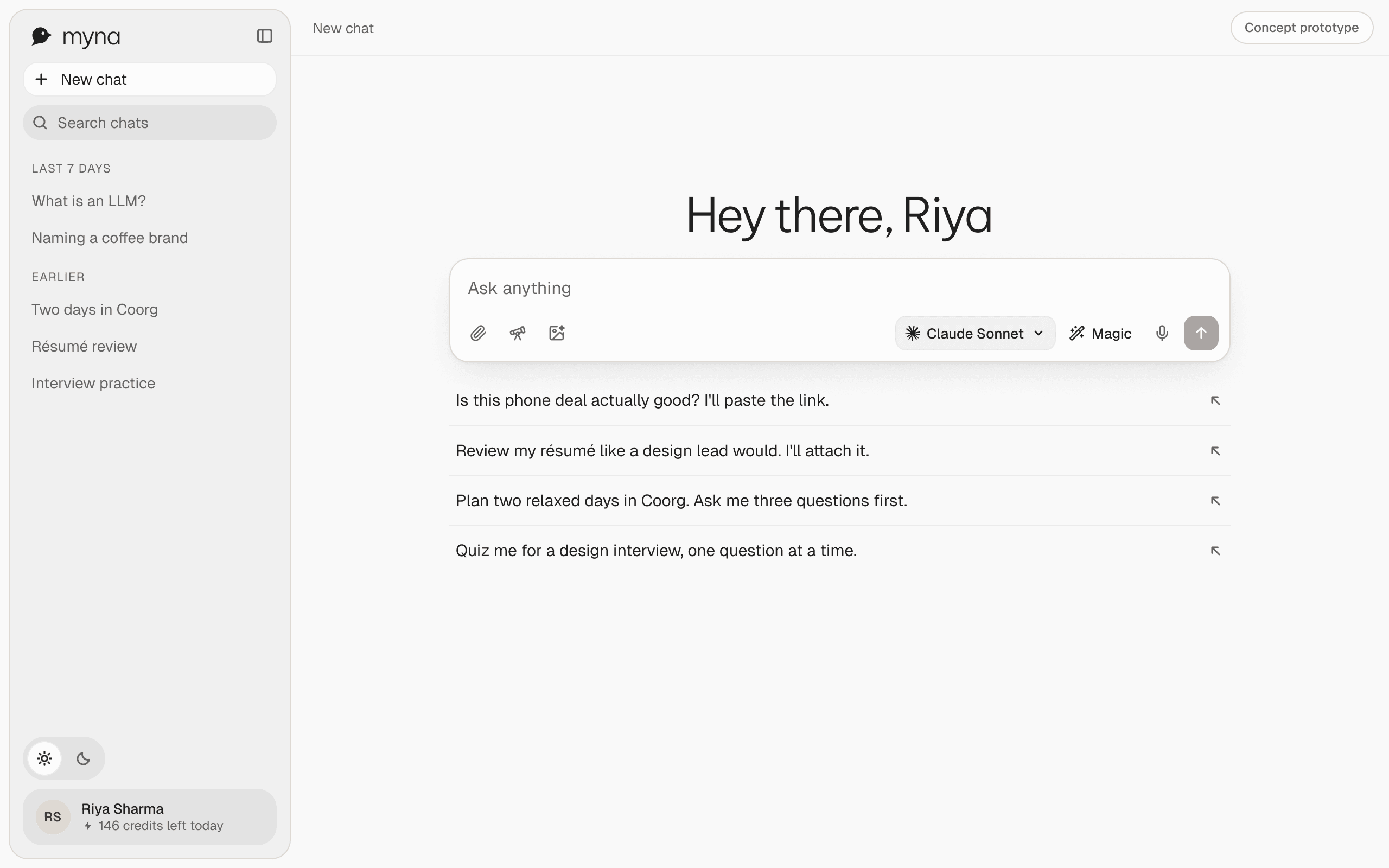
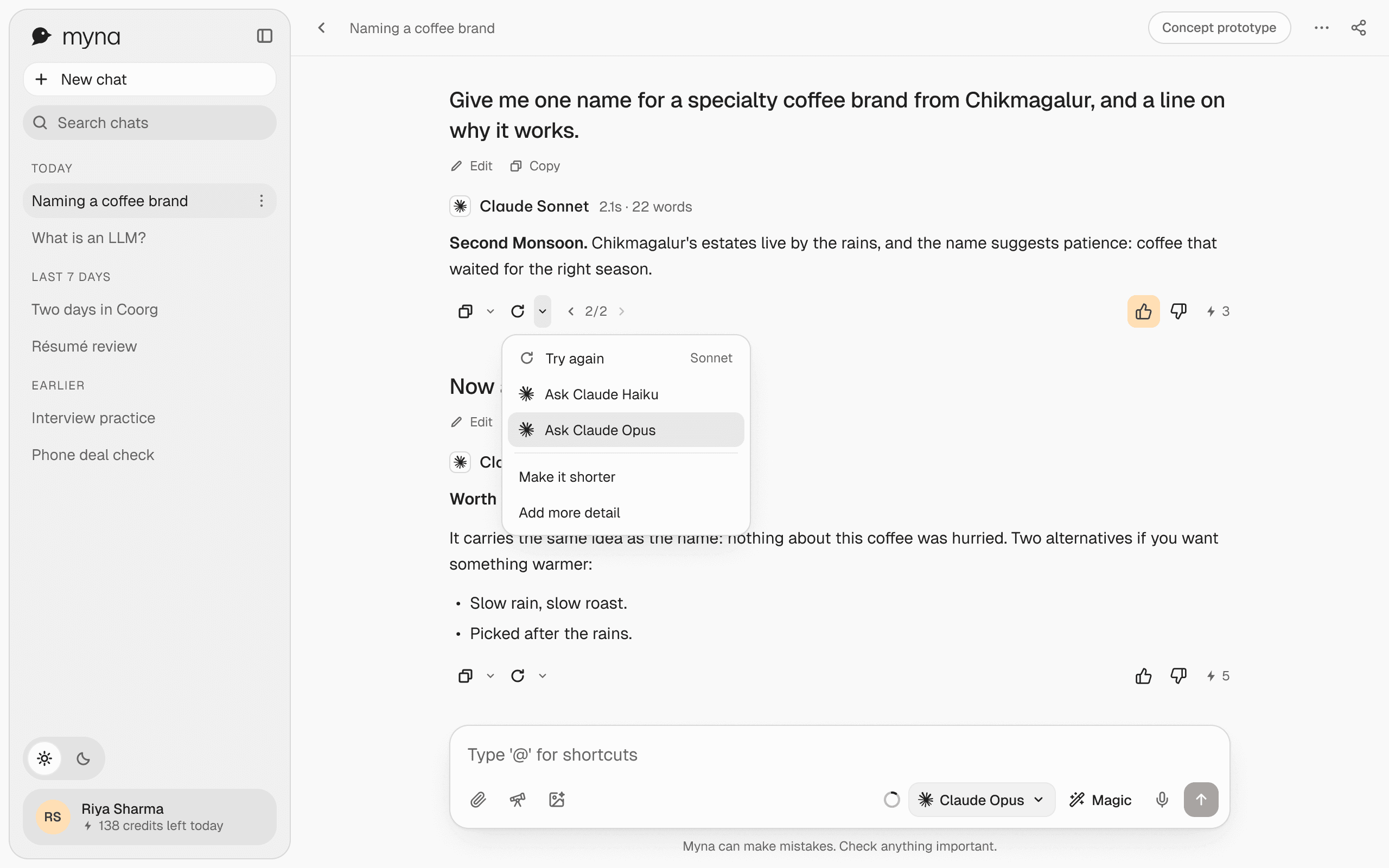
Past chats live in the sidebar under Today, Last 7 days and Earlier, with search above them. Each chat has a small menu to rename, pin or delete it.
I designed light and dark together. Every colour is a Figma variable with a value for each mode, so any screen switches in one step.
The name and the logo.
The name comes from the myna, which is known for copying the voices it hears. That suits an app that answers in the voice of whichever model you pick.
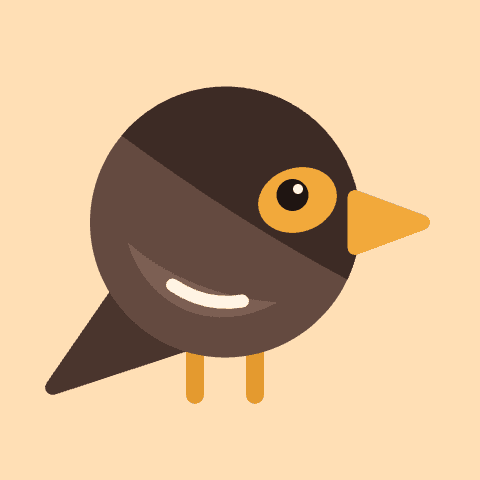
The logo is a round myna whose tail doubles as the tail of a speech bubble. The app’s brown and peach already suited the bird, so the icon uses the same colours and adds a yellow beak.
What I learned, and what’s next.
The hardest part was restraint. A chat screen looks simple, but the composer alone holds eight controls, and each needed a state for off, on and unavailable.
This is a concept, so some parts are designed but not real: image generation shows a placeholder, deep research has no live web sources, and the credit numbers are made up. Next, I would test the model switching with people who use more than one AI app, and design the phone screens.
Myna is a personal design concept, inspired by Merlin and Scira. Model names and logos belong to their companies.