
Leafmark
A habit tracker for iOS, and the project I started product design with.
Problem
I wanted a simple way to build better daily habits into my own routine.
Outcome
A 13-screen iOS app design that puts the whole day on one timeline, and my first complete product design project.
- Role
- Solo designer
- Platform
- iOS
- Type
- First project, personal
- Tools
- Figma
- Scope
- 13 screens
Starting with my own routine.
Leafmark is where I started with product design. Instead of chasing a new idea, I picked a familiar one, a habit tracker, and designed it around something real: my own day.
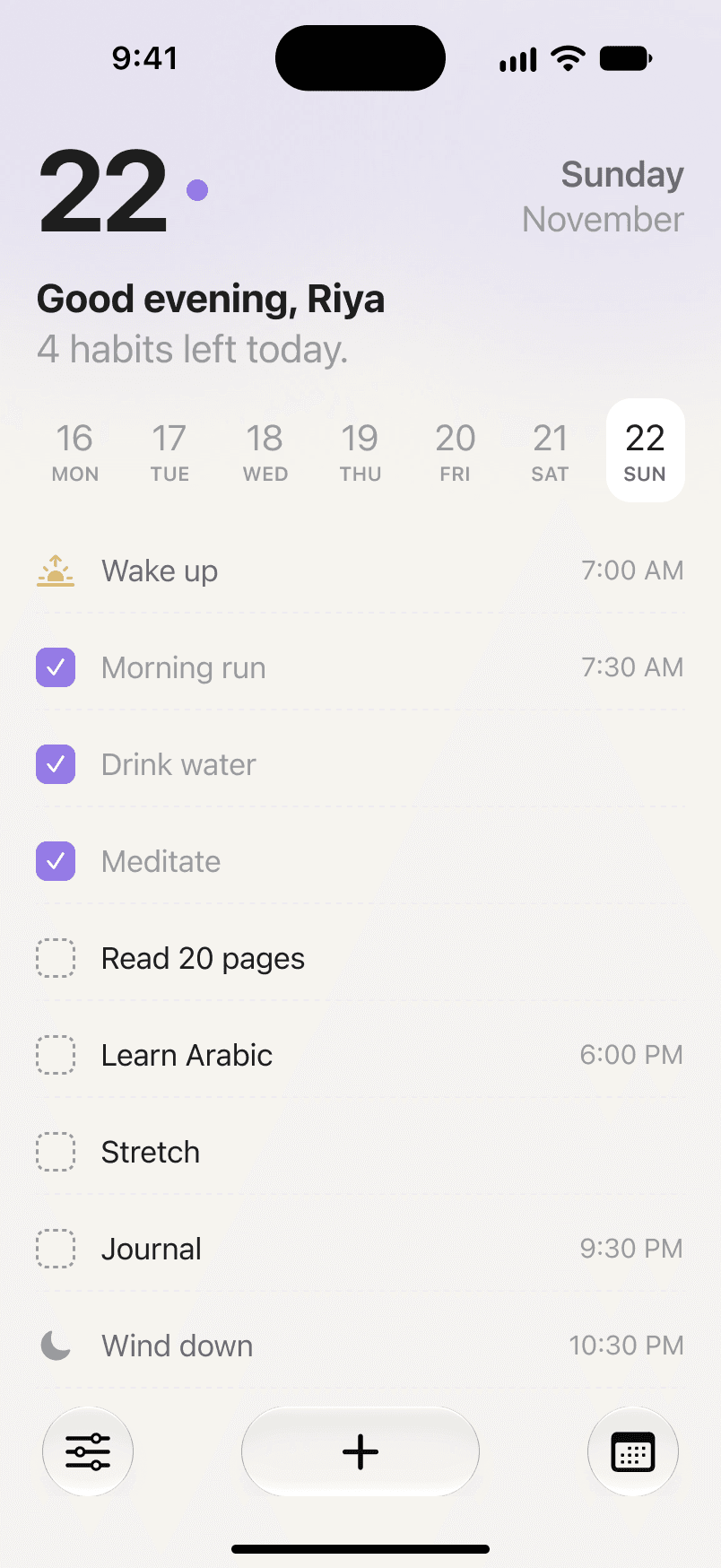
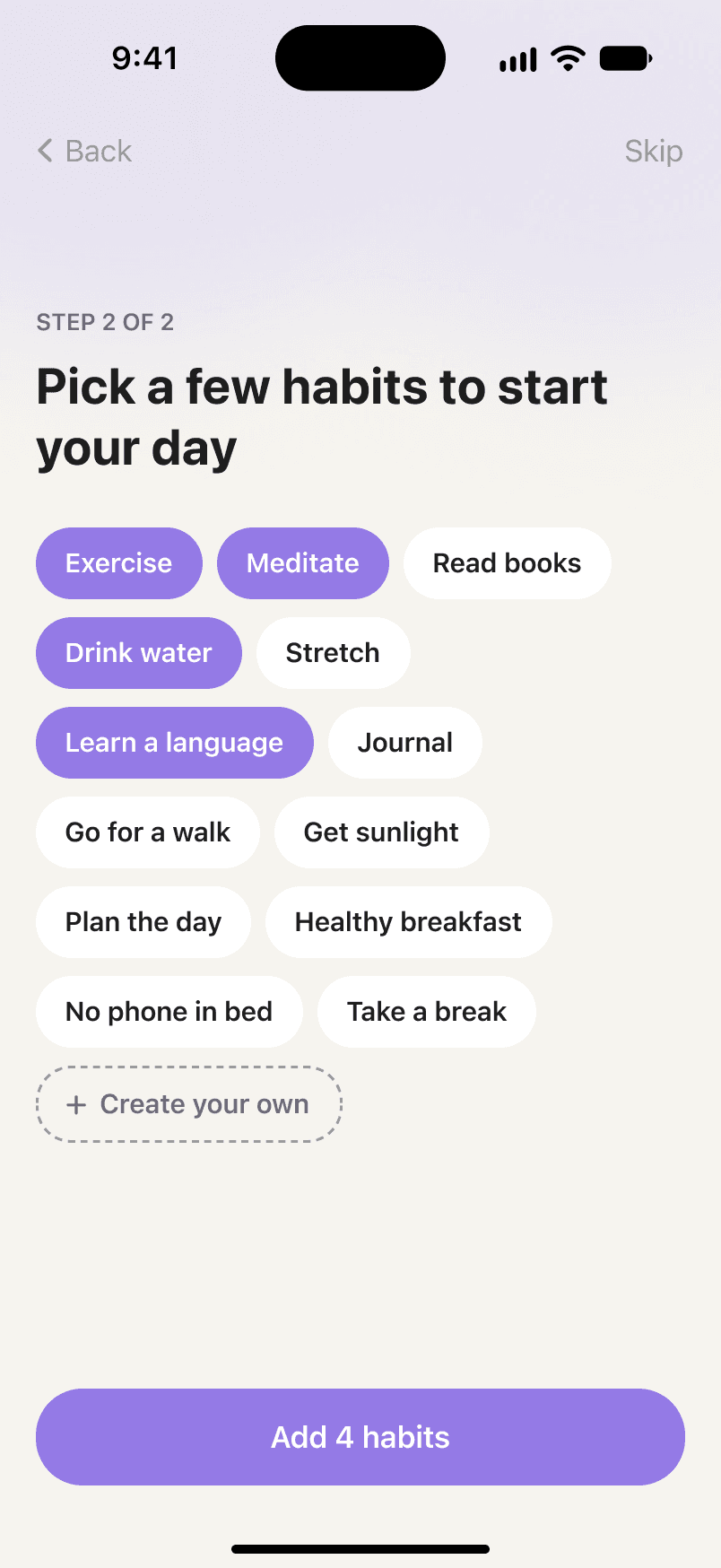
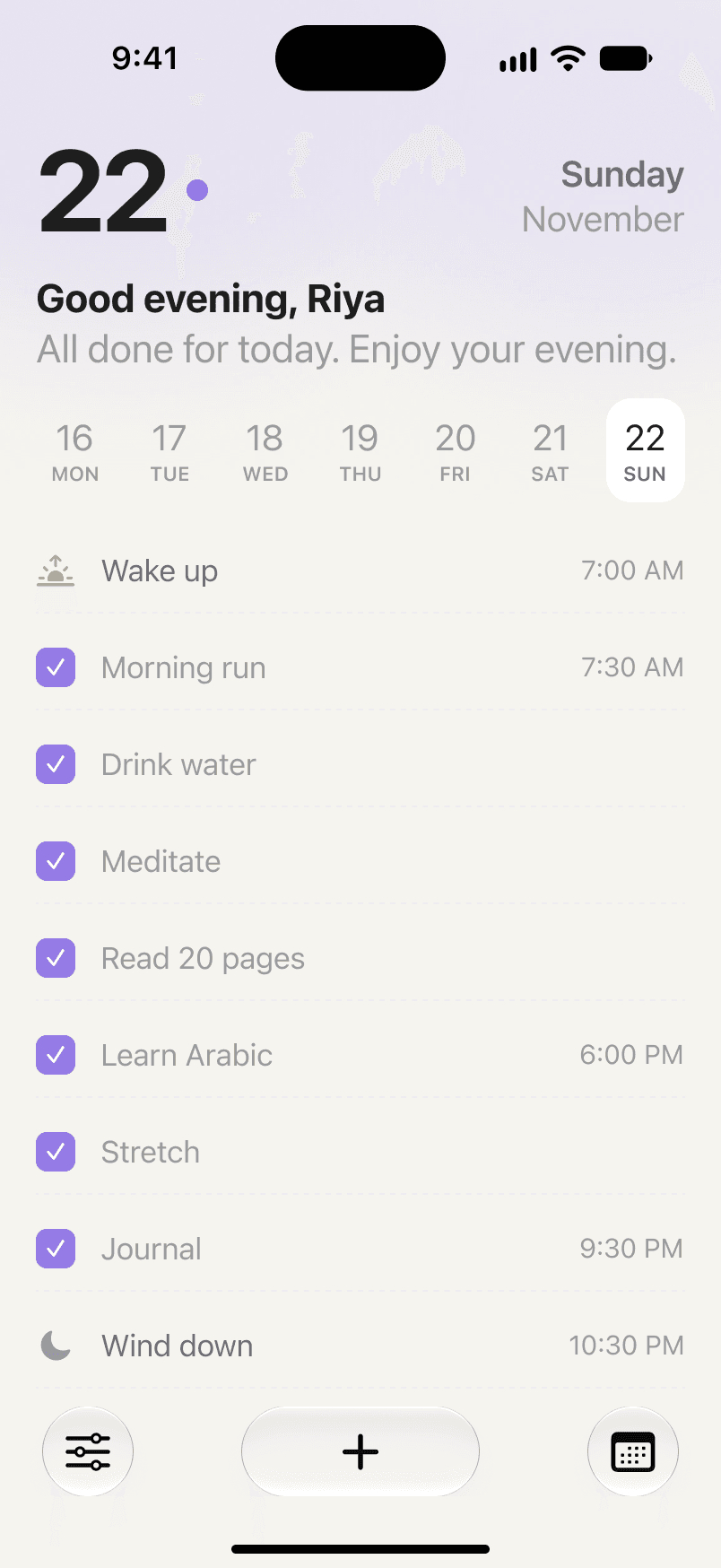
The habits in the screens are the ones I wanted to build into my life: a morning run, drinking enough water, reading, stretching, journaling and winding down properly at night. A habit tracker is a common first project, and that suited me. The problem is well understood, so I could put my energy into learning the craft on something I would actually use every day.
What I wanted from it.
Before drawing anything, I wrote down what would make me keep using it. Three things came out of that.
One tap a day
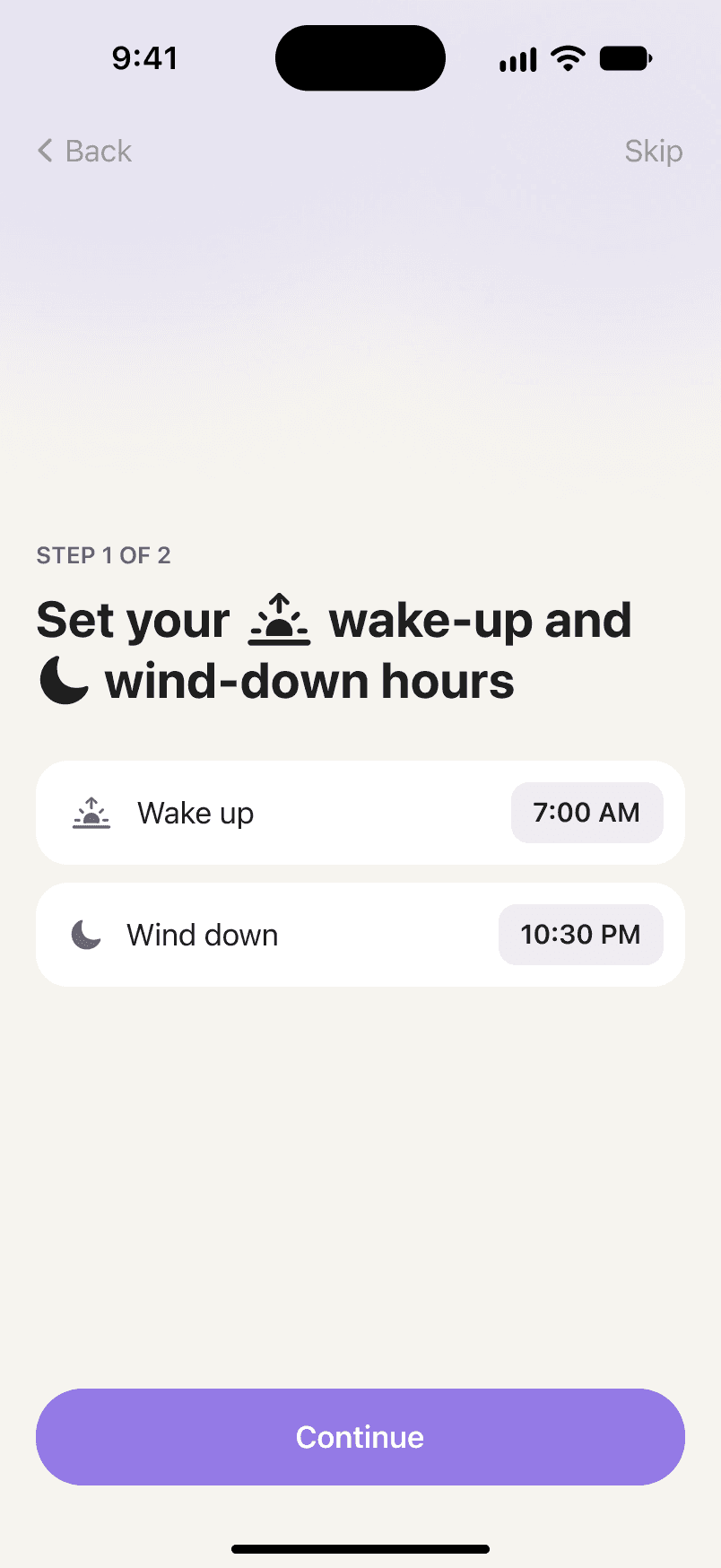
Logging a habit should take a tap, not a form. Setup asks only two questions: when my day starts and when it ends.
My day, in order
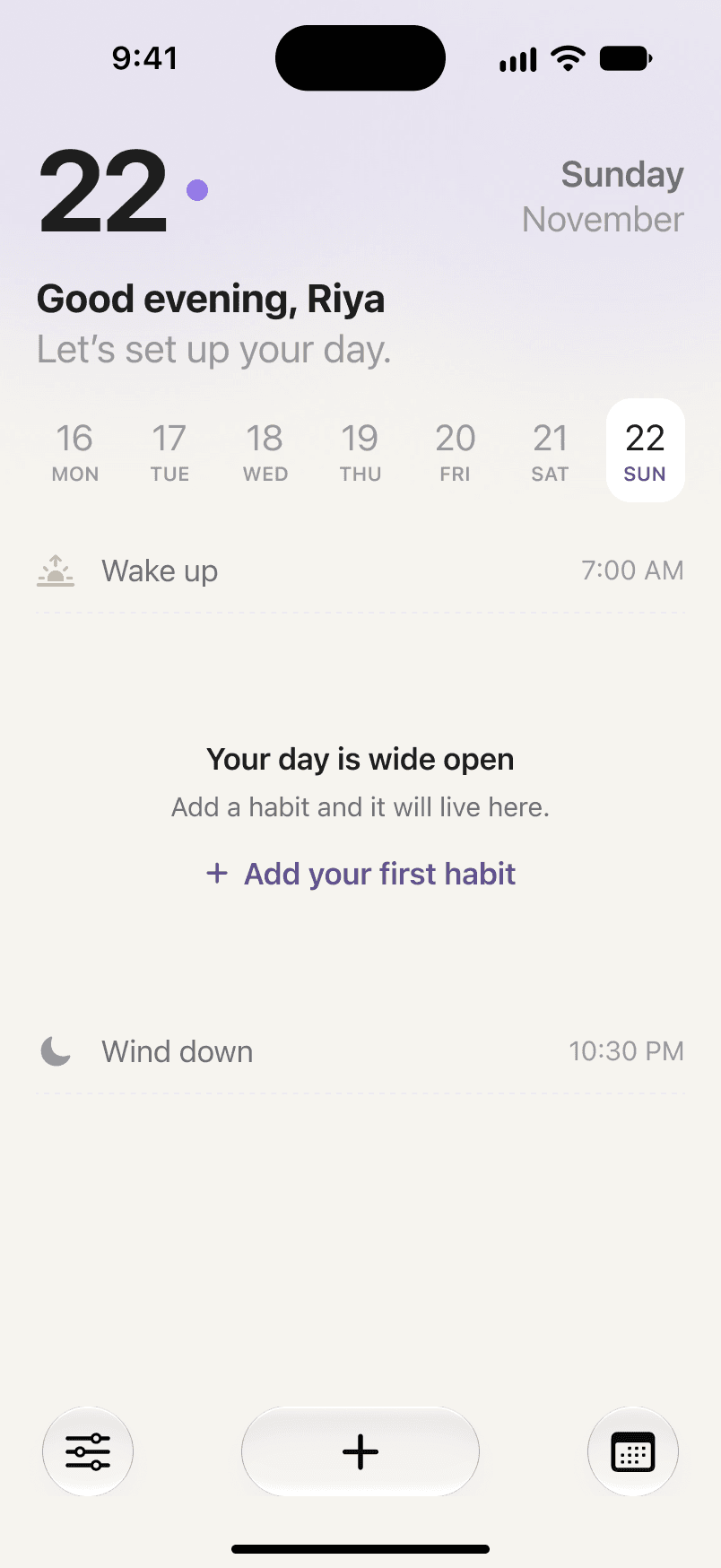
Habits sit on one timeline between wake up and wind down, the way the day actually runs, instead of in a flat checklist.
Progress, quietly
A ticked habit dims in place, so the shape of the day stays the same. The line under the date keeps track: from setting up the day, to four habits left, to all done.
Adding a habit stays short.
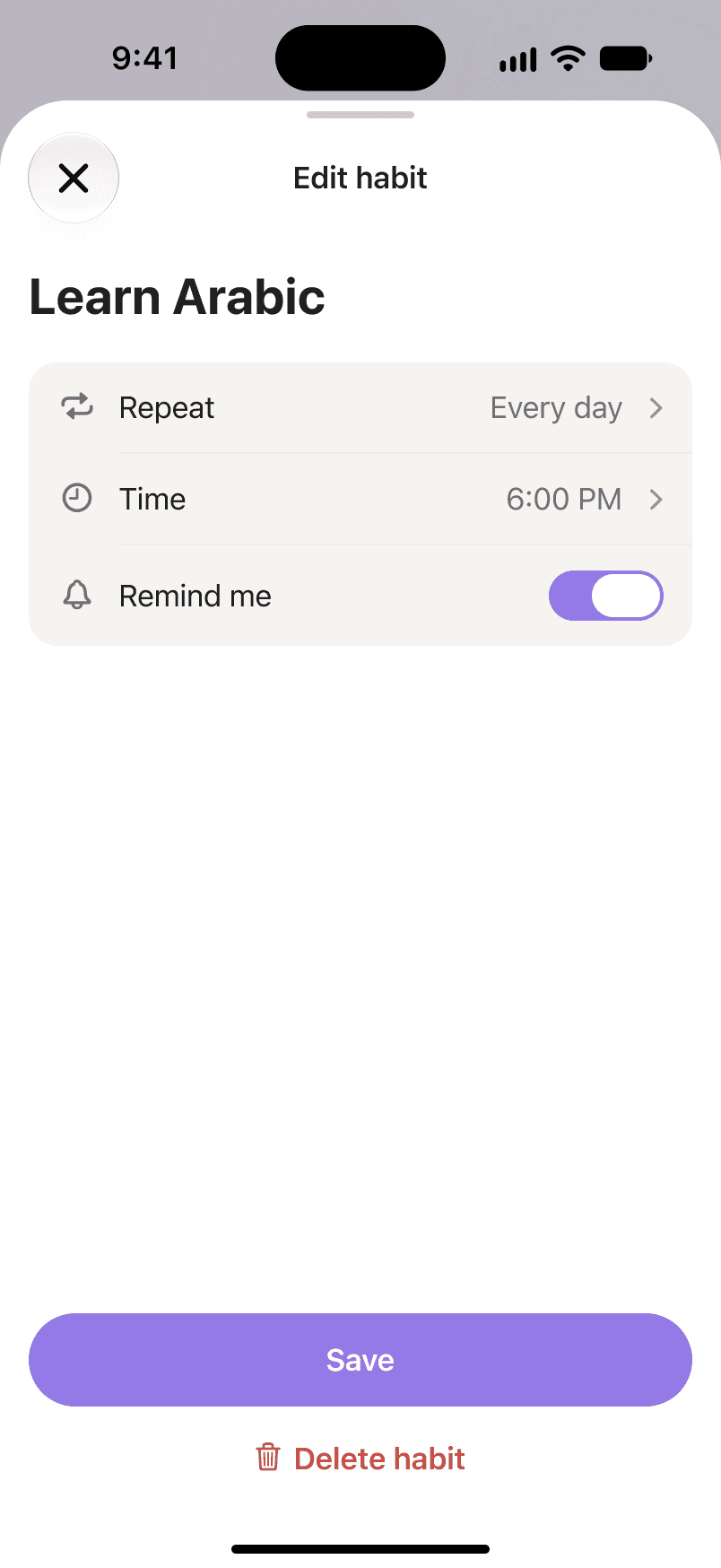
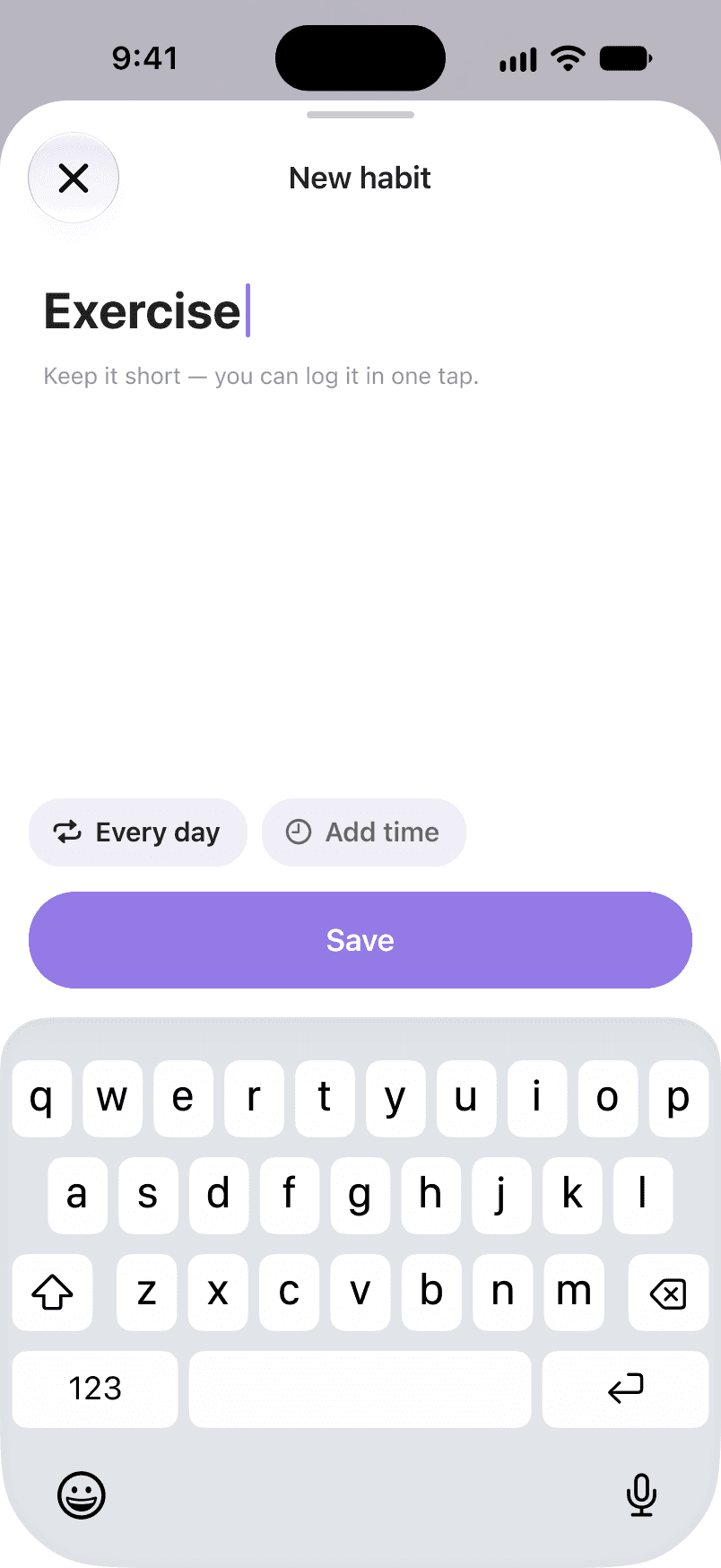
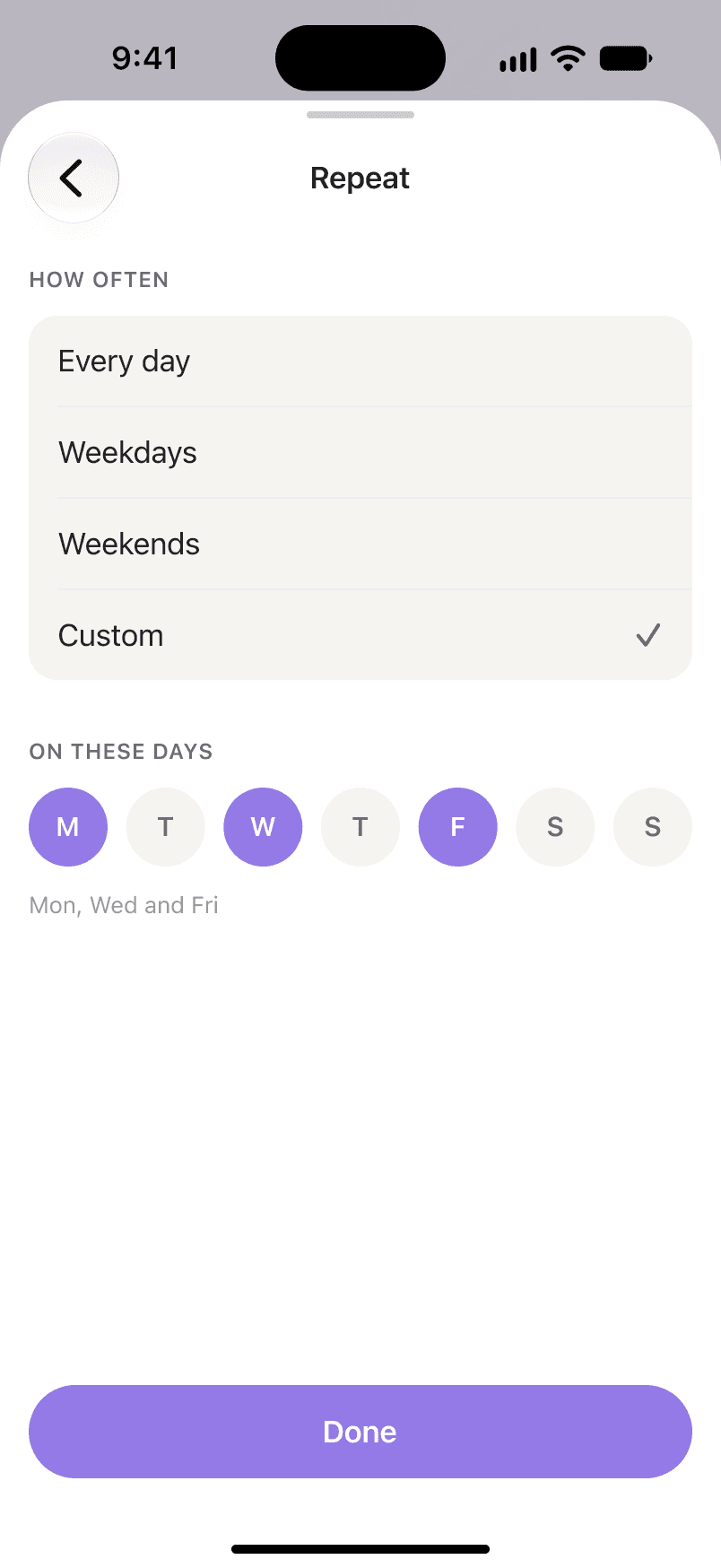
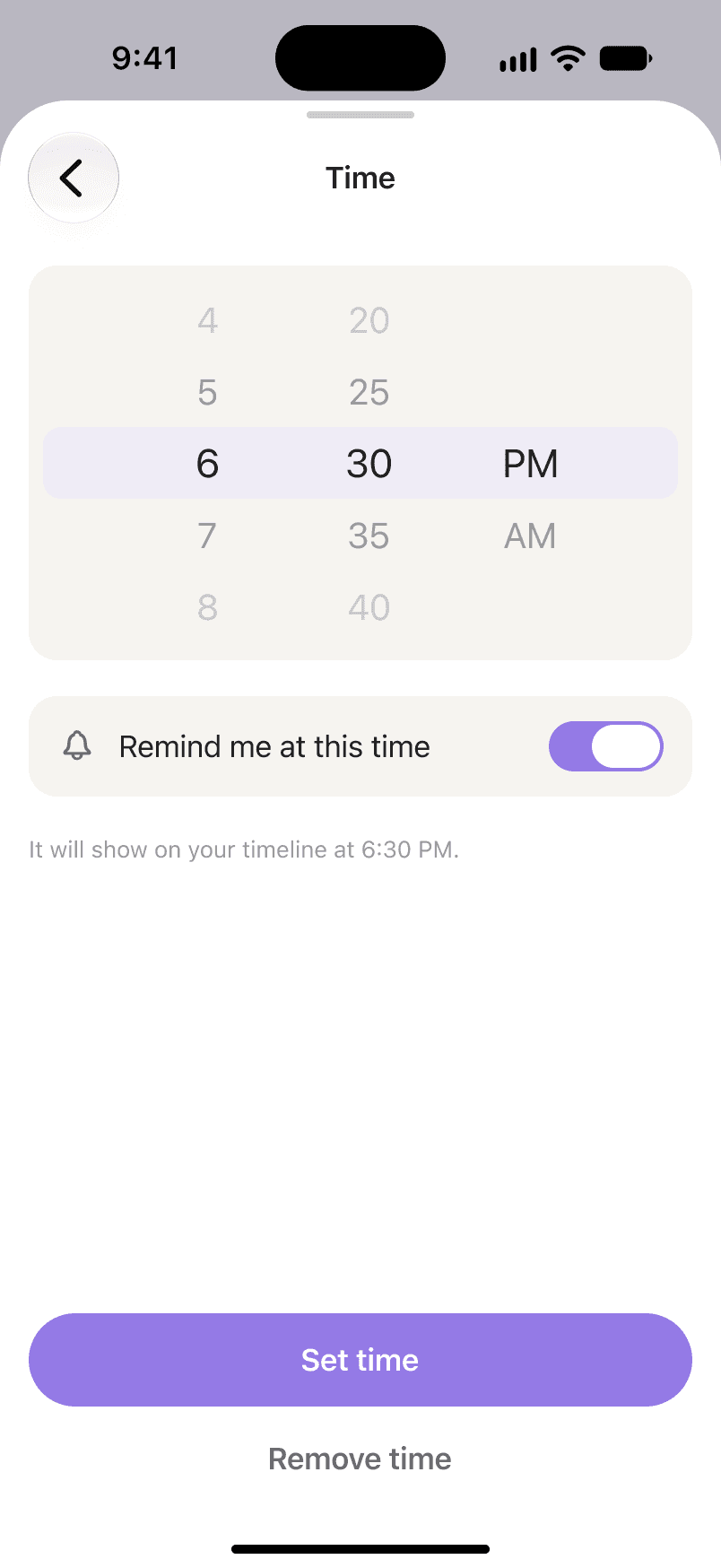
A new habit needs only a name. Repeat and time are optional chips under the field, and each opens its own small screen when you want more control: every day, weekdays, weekends or chosen days, and a time with an optional reminder.
Everything else, one level down.
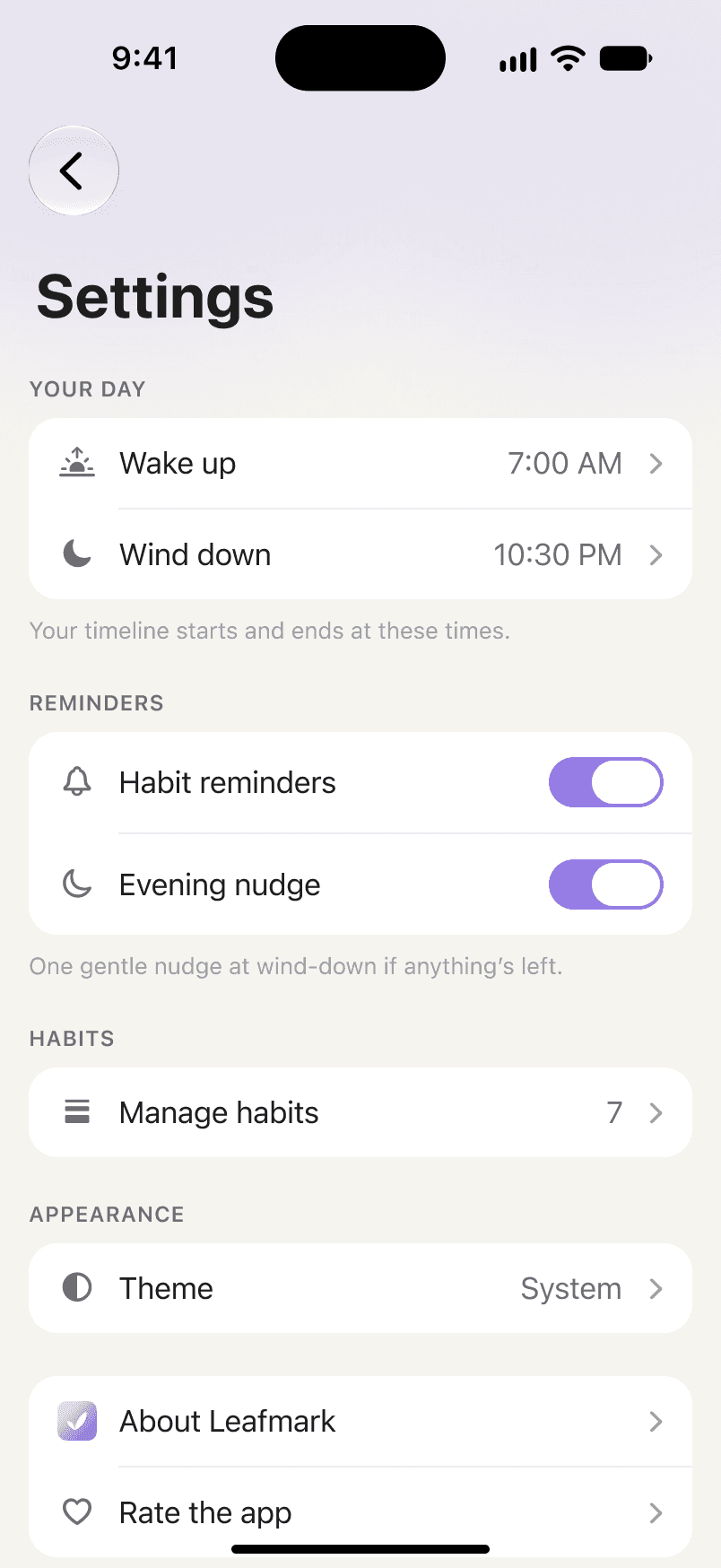
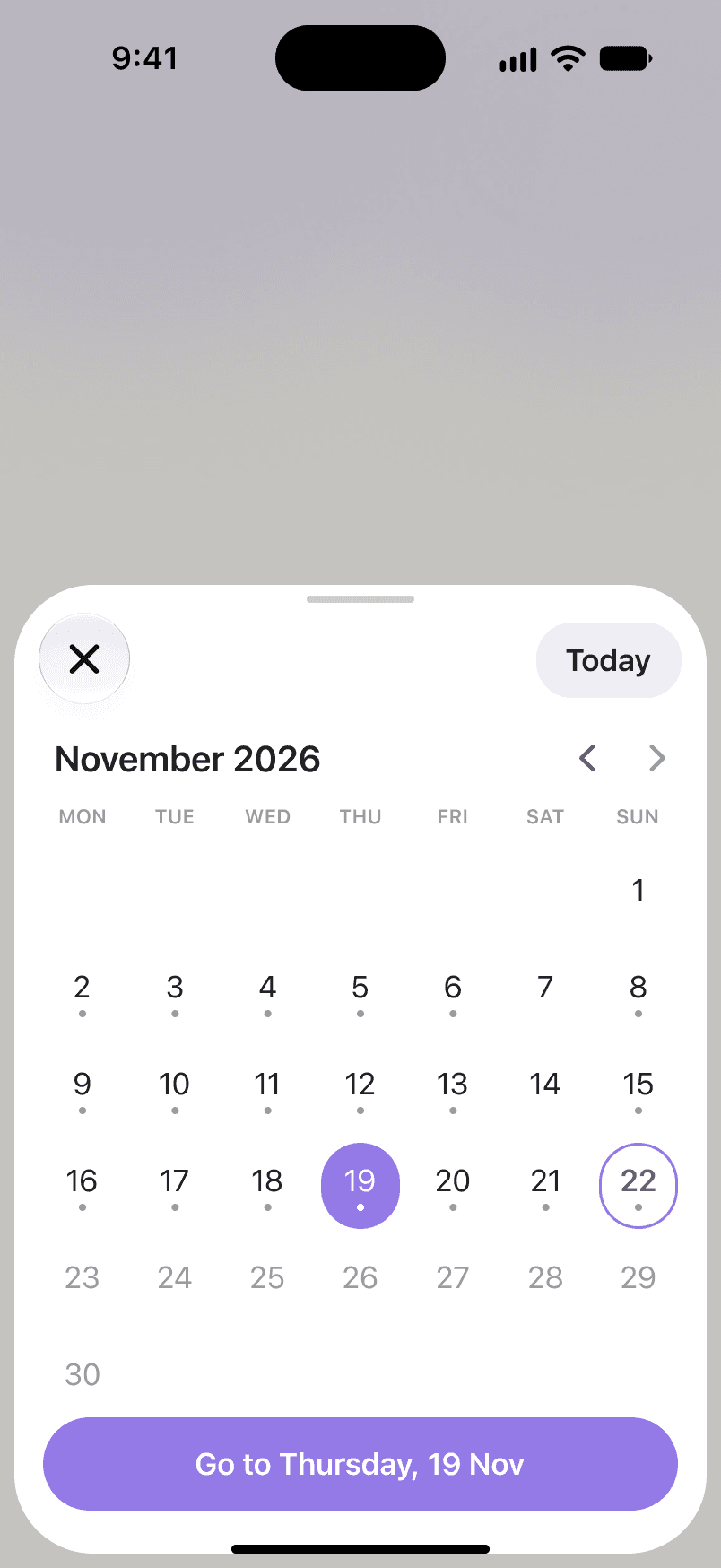
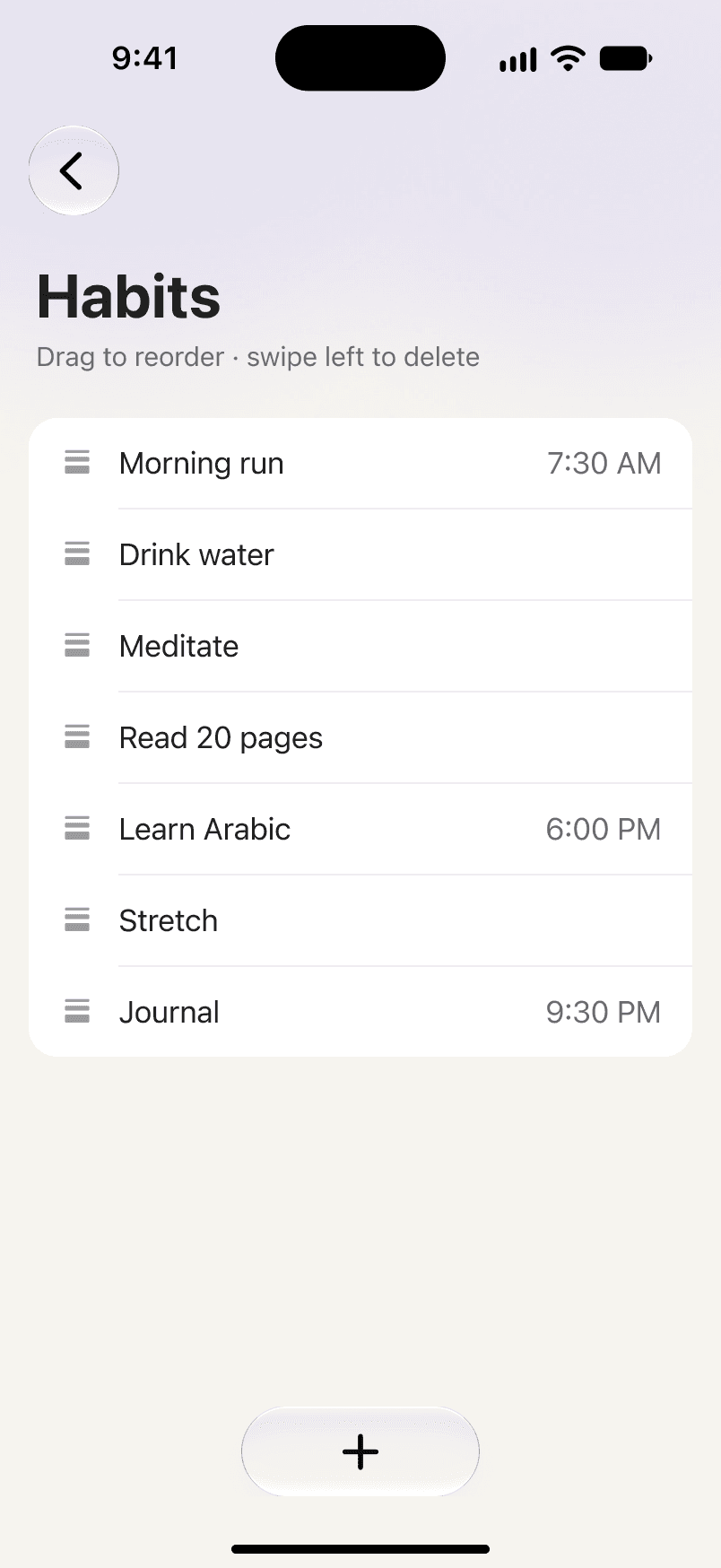
Past days open from a calendar. Settings hold the wake and wind-down times, reminders and an evening nudge, and a list of habits you can drag to reorder or swipe to delete.
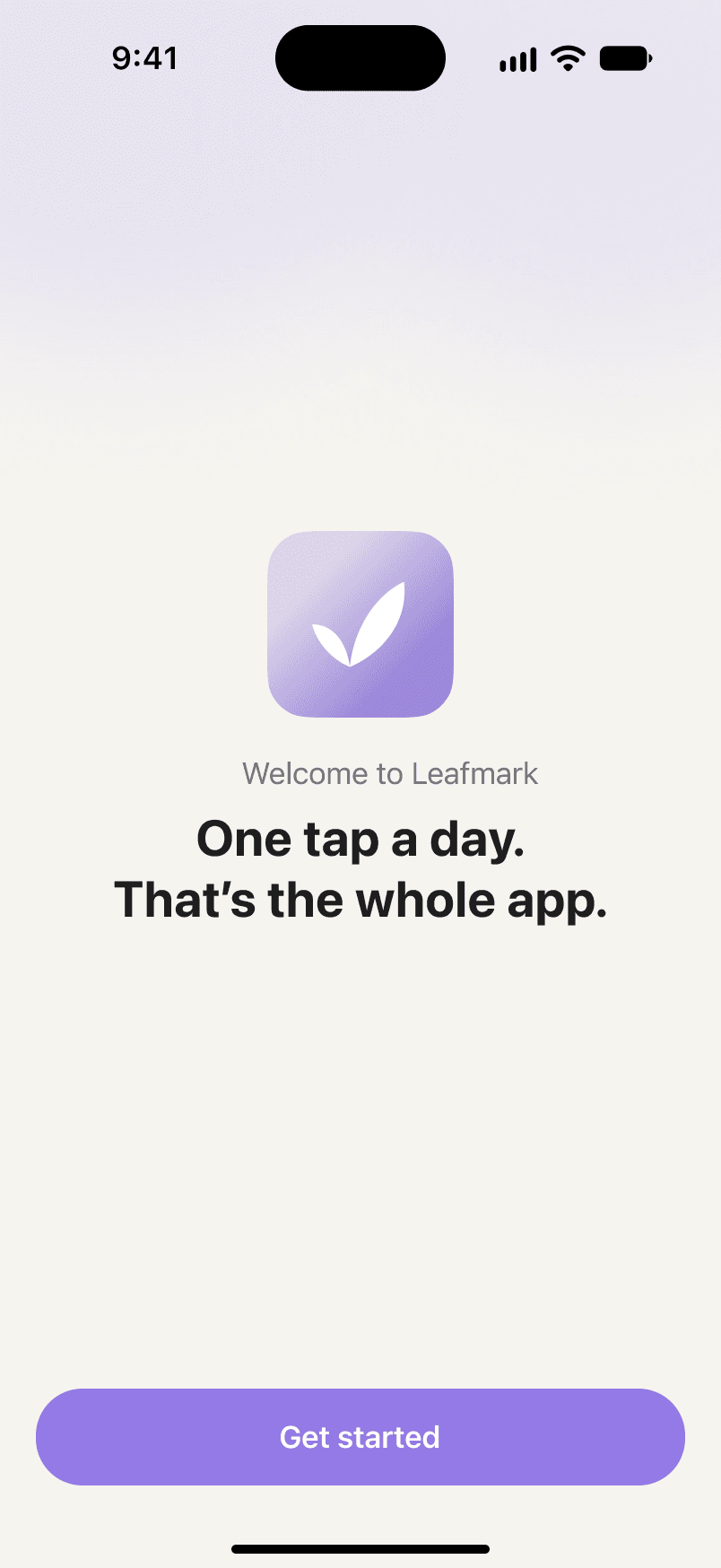
The mark is a checkmark drawn with two leaves: every habit you log is something growing.
What I learned, and what’s next.
This was my first full set of screens. The biggest lesson was how much even a simple app depends on small decisions: what earns a place on the first screen, what can wait a level down, and how a list should behave when you tick something off.
Next, I would design the harder moments that every habit app faces: a missed day, a week away, and a gentle weekly look back that shows how the routine is changing, rather than a streak that breaks.